Riyadh, Saudi Arabia
B2B IT Solutions for Companies in Saudi Arabia

From website development to technology services, we turn ideas into practical results.

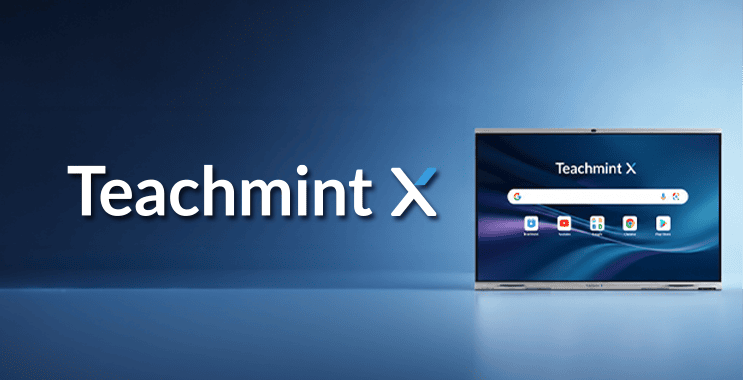
Explore Teachmint X interactive displays for schools, universities, coaching centres, and training institutions in Saudi Arabia. Compare Star, Plus, and Pro models, review key teaching features, and request a B2B quotation from Innovation Planet.
Teachmint X interactive displays in Saudi Arabia give schools, universities, colleges, coaching centers, and training institutions an education-focused alternative to a basic touchscreen. The range combines a 4K interactive display, Android 14 with Google EDLA certification, built-in teaching tools, EduAI assistance, Google services, and connected classroom capabilities in one platform.
For Saudi education decision-makers, the real question is whether the device can help teachers prepare faster, explain concepts clearly, support Arabic workflows, connect in-person and remote learning, and scale across room sizes. This guide explains the commercial value, model differences, and purchasing checks required before requesting a quotation.
Teachmint X is designed for institutions that need more than a presentation screen. It supports interactive teaching, AI-assisted lesson workflows, classroom participation, content sharing, and administrative visibility. Reviewed sizes include 65, 75, 86, and 98 inches, with selected Pro models adding a 48 MP 4K camera, an 8-array microphone system, NFC teacher login, and enhanced audio.
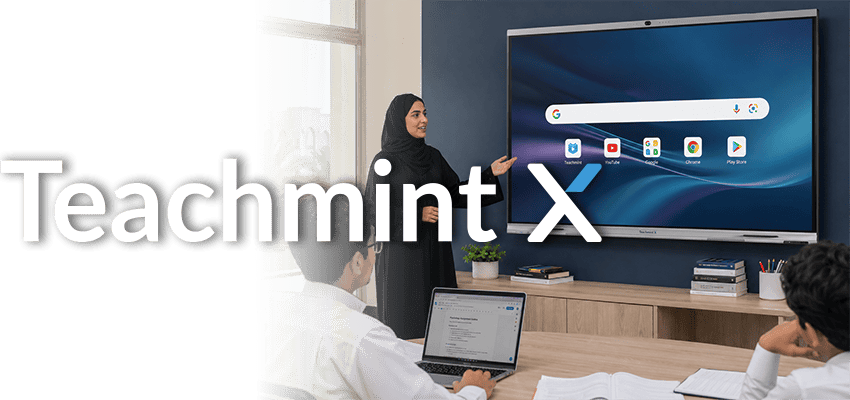
Send us the required screen size, quantity, delivery city, room type, and whether you need built-in camera and microphone capabilities. Innovation Planet will review the requirement and prepare a B2B quotation based on model availability and the confirmed project scope.
Last reviewed: July 2026
Prepared by: Innovation Planet Team
Product basis: Current Teachmint X English brochure and the supplied Star, Plus, and Pro model data sheets.
Teachmint X interactive displays combine a large 4K touch display with an integrated Android computing platform. The solution brings together interactive whiteboarding, education apps, Google services, AI-assisted teaching tools, classroom workflows, and content sharing.
The current product materials describe Teachmint X as Google EDLA-certified and powered by Android 14, giving teachers access to familiar Google applications and the Google Play Store from the device. The reviewed range also includes 8 GB RAM, 128 GB storage, an octa-core RK3576 processor, and 3.2 mm toughened glass with 9H hardness.
A school is purchasing a daily teaching tool, not only a large screen. Selection should consider software, security, room size, teaching methods, hybrid-learning requirements, and support scope alongside hardware.
Product demonstration supplied by Teachmint. Watch the Arabic overview.
Every reviewed model provides 3840 x 2160 4K UHD resolution. The sheets for the 65 and 75 Star, 75 and 86 Plus, and 75 and 86 Pro models also list 40-point touch. This supports writing, annotation, group participation, and direct interaction with lesson content.
The whiteboard includes writing and shape tools, handwriting recognition, multimedia import, geometry resources, graph visualization, science simulations, a calculator, and a dictionary. Teachers can work with images, videos, presentations, and PDFs in one environment.
The supplied range runs Android 14 EDLA. According to Teachmint, EDLA certification supports native access to Google apps and services, including Chrome, YouTube, Gmail, Google Drive, Docs, Sheets, Slides, Meet, Calendar, and the Google Play Store.
For institutions already using Google tools, this can reduce teacher friction and simplify file access. Teachmint also lists Google Play Protect. Google explains that Play Protect checks apps and devices for potentially harmful behavior and can warn users about detected risks.
EduAI is positioned as a teaching assistant inside the Teachmint environment. The supplied brochure lists lesson-plan creation, quiz generation, homework generation, lesson summaries, explanations, image search, video recommendations, and math’s equation solving among its supported workflows.
The commercial value is practical: repetitive preparation tasks can be reduced, while teachers retain control over the final lesson. AI-generated material should still be reviewed by qualified educators for curriculum fit, accuracy, age suitability, and institutional policy before it is used with students.
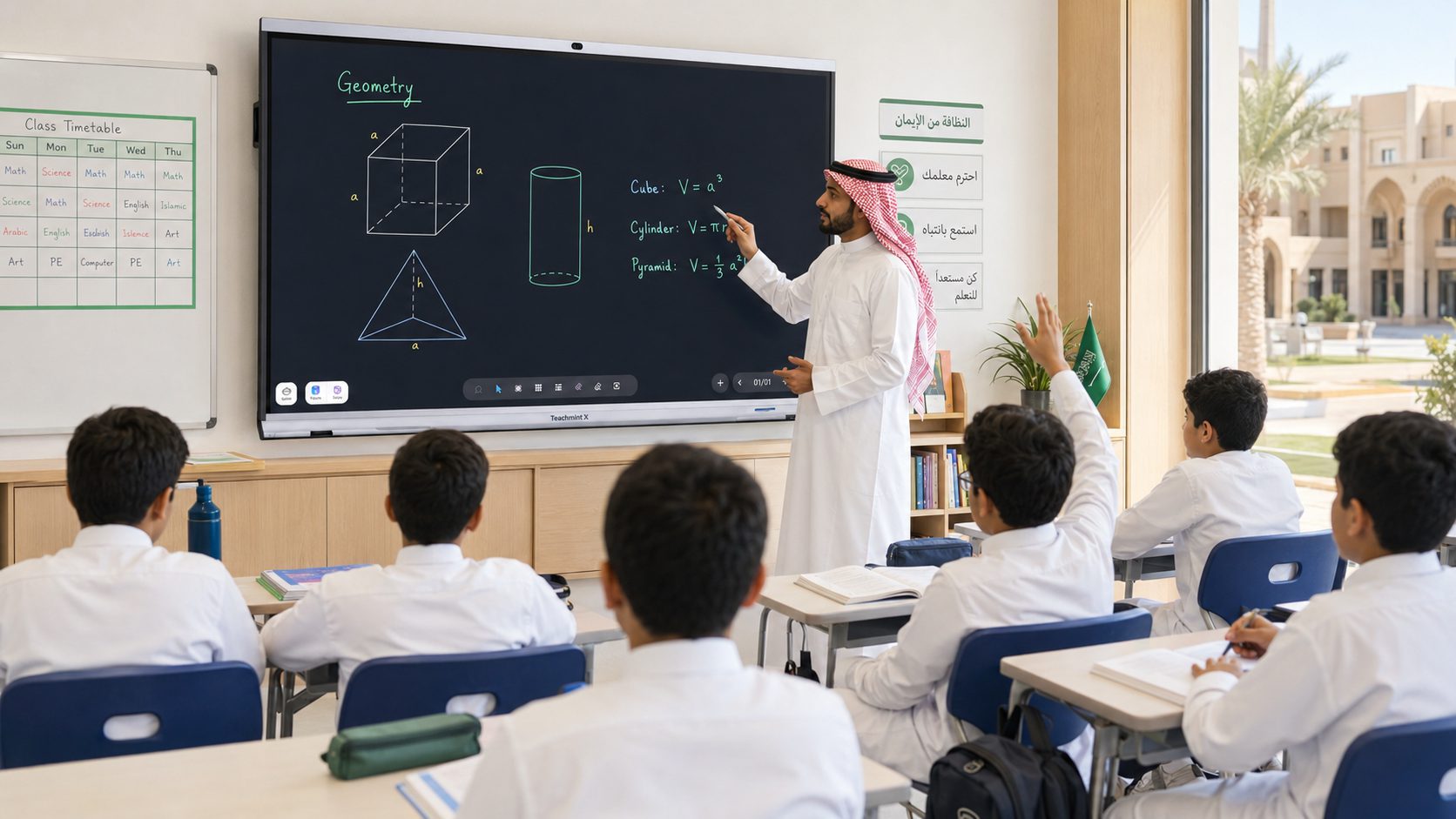
Arabic support is particularly relevant in Saudi Arabia. The current brochure states that Teachmint X interactive displays support Arabic writing and interaction on the whiteboard. It also lists Arabic voice-to-text for converting spoken Arabic into on-screen text.
This can help institutions use the technology in Arabic-led classes instead of limiting the display to English-language demonstrations. Before a bulk purchase, the institution should test the intended Arabic workflow, terminology, fonts, and curriculum content during a live product demonstration.
The Connected Classroom App extends Teachmint X interactive displays beyond on-screen writing. The supplied materials describe attendance, homework, assignments, tests, lesson sharing, class summaries, and administrative visibility.
Teachers can share lessons by QR code, WhatsApp, or email. Students can access assignments and learning material, while administrators can review live-class activity and panel usage. This is commercially stronger than purchasing disconnected screens with no shared teaching environment.
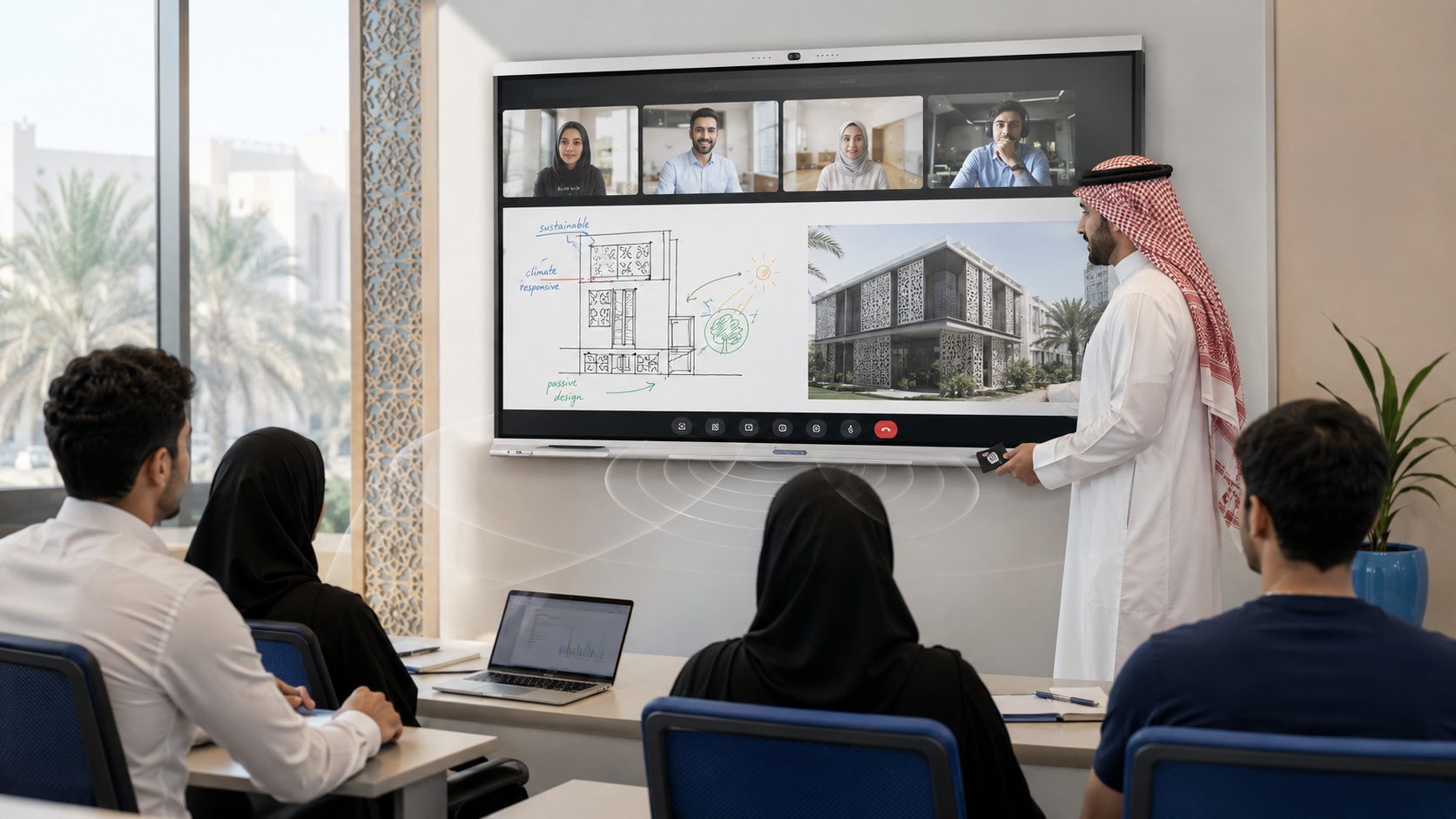
The 75 Pro and 86 Pro data sheets add an autofocus 48 MP 4K camera with intelligent framing and sound localization, an 8-array microphone system, NFC teacher login, and enhanced front-facing audio with a subwoofer. The 98 Pro data sheet also lists the 48 MP camera, 8-array microphone, NFC login, and a 6 TOPS neural processing unit for AI tasks.
These features make the Pro range the stronger option when a school, university, or training institution needs hybrid teaching, recorded sessions, remote participation, secure teacher access, or better audio-visual coverage in a larger room.
Teachmint X interactive displays in Saudi Arabia can be selected across 65, 75, 86, and 98-inch sizes in the reviewed range. This allows an institution to match the display to the room instead of forcing one specification across every learning space.
A 65-inch model may suit a smaller classroom or coaching room. A 75-inch model provides a balanced option for many standard teaching spaces. The 86-inch range is better suited to larger classrooms and training rooms, while the 98 Pro targets lecture halls and high-capacity spaces where viewing distance and room scale are more demanding.
Send the room type, approximate audience size, quantity, delivery city, and required teaching features. We will help narrow the commercial options before preparing the quotation.
Choosing between Teachmint X interactive displays starts with the room, teaching method, and procurement budget. The comparison below uses stable differences in the supplied materials. Exact ports, brightness, audio, accessories, mounting items, and software entitlements must be confirmed against the quoted model code.
On mobile, swipe horizontally to view all columns.
| Screen Size | Recommended Environment | Project Considerations |
|---|---|---|
| 65 inch | Smaller classrooms, laboratories and compact training rooms. | Confirm rear-row visibility, seating layout and the required audio coverage. |
| 75 inch | Standard classrooms and medium-sized training environments. | Provides a practical balance between content visibility, room dimensions and available wall space. |
| 86 inch | Larger classrooms, lecture rooms and collaborative learning spaces. | Confirm viewing distance, wall structure, delivery access and specialist handling requirements. |
| 98 inch | Auditoriums, large lecture spaces and high-capacity learning environments. | Project availability, site readiness, access routes and specialist handling must be confirmed before quotation. |
Important:
Specification note: Screen sizes, model names, technical specifications and included features are subject to current availability in Saudi Arabia. Innovation Planet will confirm the approved model and applicable specifications in the official quotation.
Schools can use Teachmint X interactive displays for multimedia lessons, quizzes, assignments, Arabic-supported whiteboarding, and content sharing. The 65 and 75-inch ranges are practical starting points for standard classrooms, subject to viewing distance.
Higher education institutions often need larger displays, strong connectivity, hybrid participation, lecture recording, and clearer audio. The 75 Pro, 86 Pro, and 98 Pro are the more relevant options where camera, microphone, NFC access, and larger viewing areas are required.
Training providers can combine whiteboarding, presentations, video, assessments, QR-based lesson sharing, and remote participation in one teaching environment. The appropriate size depends on the audience, seating layout, instructor position, and whether sessions are recorded or delivered in hybrid format.
Teachmint X can also support internal academies and instructor-led professional training where organizations need interactive delivery, shared resources, structured assessments, and collaboration across in-person and remote participants.
Saudi Arabia’s Human Capability Development Program highlights education, skills, and lifelong learning as national priorities. Technology purchases should still be judged by measurable teaching needs, adoption plans, and total project requirements rather than by broad transformation language alone.
Before purchasing Teachmint X interactive displays in Saudi Arabia, procurement, academic, and IT teams should agree on the following points:
The Teachmint brochure advertises onboarding and training support, quick service response, IT-team enablement, and a three-year warranty, subject to terms and conditions. The exact party responsible and the local coverage included in your purchase must be confirmed in the final quotation.
A useful RFQ for Teachmint X interactive displays should contain enough detail to compare the correct model rather than only asking for a “smart board price.” Include:
Innovation Planet supports B2B IT hardware sourcing and quotation requirements for organizations in Saudi Arabia. Our standard hardware scope is supply-only. Installation, configuration, implementation, networking, and on-site deployment are not included unless they are separately agreed and clearly written in the quotation.
For additional information about our procurement approach, visit our IT hardware supply service in Saudi Arabia.
Share your institution’s required size, quantity, city, room type, and hybrid-learning needs. We will review the requirement and respond with the relevant commercial option, subject to stock, model availability, and confirmed scope.
The current Teachmint brochure lists KSA among the available markets. Actual model availability, quantity, delivery time, and commercial terms must be checked when the quotation is issued.
The reviewed product range includes 65, 75, 86, and 98-inch options. Availability depends on the selected Star, Plus, or Pro line.
Yes. All reviewed Teachmint X model sheets specify Android 14 EDLA, together with 8 GB RAM and 128 GB internal storage.
No. The current consolidated brochure identifies the autofocus 48 MP 4K camera and 8-array microphone as Pro-model features. Confirm the exact model code if hybrid teaching or recording is required.
The current brochure states that the whiteboard supports Arabic writing and interaction, and that voice-to-text includes Arabic. Institutions should validate their intended Arabic workflow during a demonstration before placing a large order.
Yes. The available sizes and Pro features make the range relevant to standard classrooms, university lecture rooms, coaching centers, professional training facilities, and larger lecture halls. The model should be selected according to room scale and teaching requirements.
No. Teachmint X interactive displays combine touch, Android computing, Google services, EduAI, an interactive whiteboard, connected classroom workflows, and selected management capabilities. Confirm software access and license terms in the quotation.
Innovation Planet’s standard IT hardware scope is supply-only. Installation, setup, configuration, implementation, networking, and on-site deployment are excluded unless separately agreed in writing.
Send the required quantity, screen size, delivery city, room type, preferred model, camera and microphone needs, mounting requirement, and target delivery date through the Innovation Planet contact page or email sales@innoplanet.net.
Teachmint X interactive displays in Saudi Arabia are a strong commercial option for education institutions that want an integrated teaching platform rather than a standalone screen. The Star range covers core interactive classroom needs, the Plus range offers broader size choices for scaled deployments, and the Pro range is better suited to hybrid teaching, secure teacher access, and larger learning spaces.
The right purchase starts with a clear room-by-room requirement. Select the size first, identify whether hybrid-learning hardware is required, test Arabic and curriculum workflows, and place the order only after the exact model, accessories, warranty, delivery, software, and support scope are confirmed in writing.
To obtain a quotation for your school, university, college, coaching center, or training institution in Saudi Arabia, contact Innovation Planet and share your project requirements.
Specification notice: This article is based on Teachmint materials reviewed in July 2026. Specifications, software functions, licenses, accessories, availability, warranty, and support terms may change. The final approved quotation and manufacturer documentation for the exact model code take precedence.